Loyalty
General information
The Loyalty section is used to create and configure promotions with different discount mechanics, such as bonus points, discounts for reaching a required amount, discounts for purchasing specific products, promocodes, and other reward logic.
Promotions are configured through the builder in the Sailplay dashboard. Changes are applied immediately and do not require updates on the POS side or on the website.
Creating and configuring a promotion
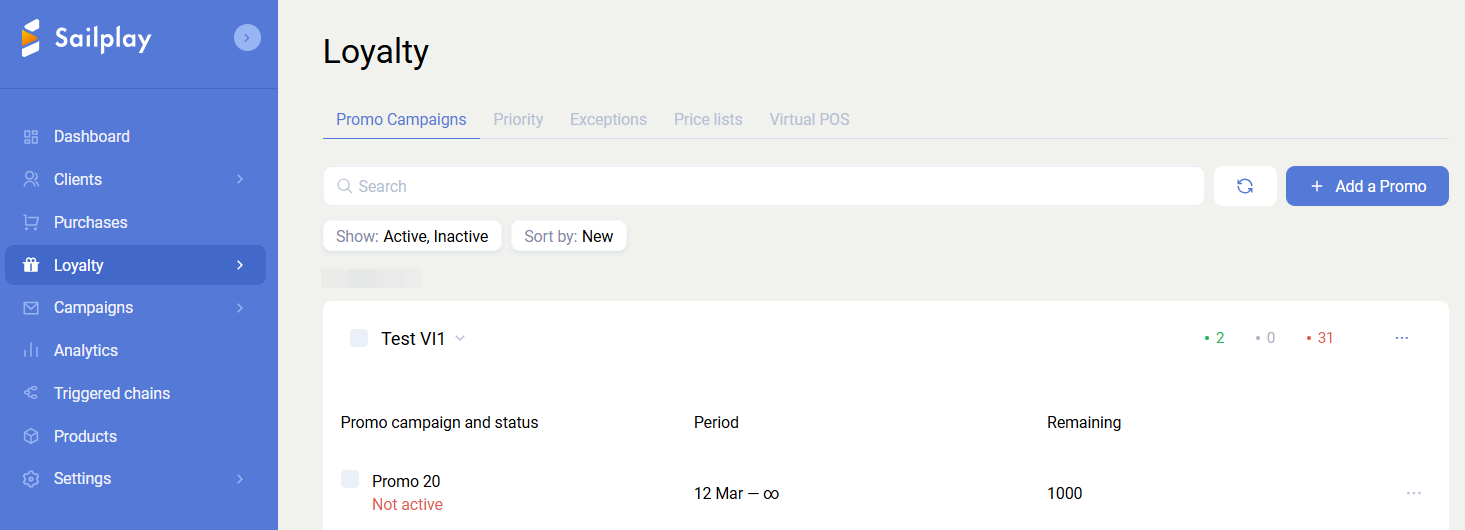
Campaigns and promotions
For convenience, promotions are grouped into campaigns. Sailplay allows you to create an unlimited number of campaigns and promotions. To add a new promotion, you must first create a campaign. Promotion management, including creation, editing, archiving, and moving promotions between campaigns, is handled through the dashboard interface.
Promotion creation steps
Promotion logic is configured in the following steps:
- Information
- Audience
- Place
- Conditions
- Notifications
- Priority
Changes made on each step are saved and applied immediately.
Information
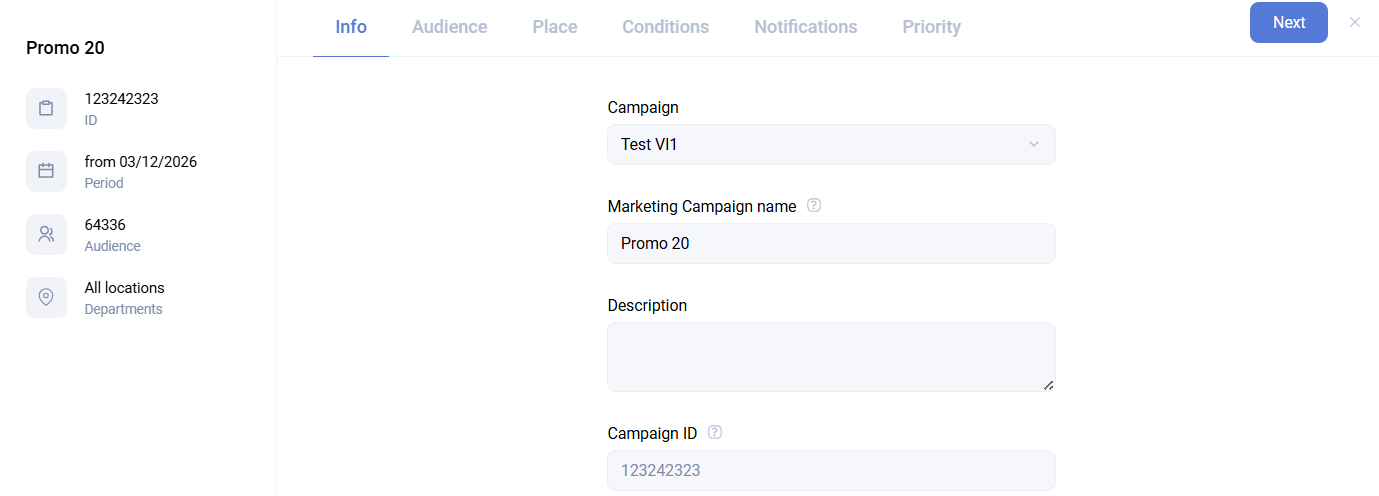
This step defines the basic promotion parameters:
- Campaign - the campaign the promotion belongs to
- Promotion name and description - a short description of the promotion logic
- Promotion ID - returned in responses to cart creation and promotion calculation requests when the purchase matches the promotion conditions
- Promotion period - the activity period of the promotion. The end date can be omitted by enabling
No end date, in which case the promotion remains active until it is disabled manually - Respect minimum product price - determines whether the promotion can reduce the product price below the configured minimum, for example below cost price
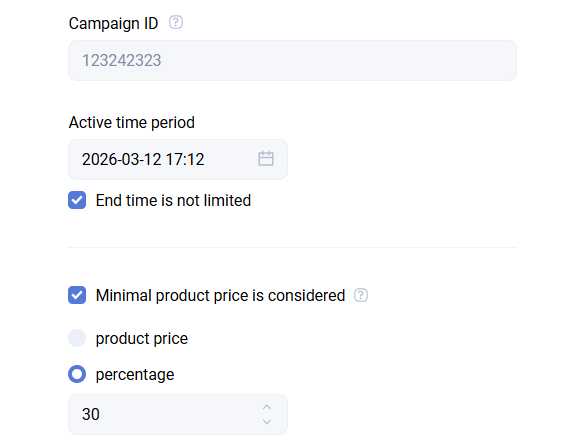
Example: if a product priced at 1000 rubles receives a 40% discount, the system checks whether the resulting price falls below the configured minimum, for example 800 rubles. If it does, the discount is adjusted automatically so that the final price matches the minimum allowed value.
The product price limit is taken into account in promotion calculation only if the minimum price is passed from the POS or website. Percentage-based limits are calculated automatically from the original product price.
- Limit on the number of promotion uses - controls how many times a loyalty program member can use the promotion. Anonymous purchases are not counted. Once the limit is reached, the promotion becomes inactive automatically. The usage counter decreases after each purchase in which the promotion is applied.
- Per-client limit - this group contains several additional restriction parameters
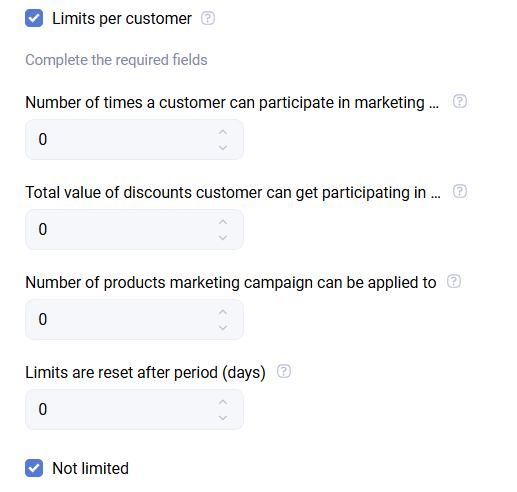
- Usage limit size - the number of promotion activations allowed for each client
This limit does not apply if, on the next step, Audience, you choose to apply the promotion to all clients, including those who are not loyalty program members.
The calculation uses the period specified in Validity period of limits in days.
- Maximum reward amount per promotion - sets the maximum discount amount that can be granted to a single client within this promotion. After the limit is reached, rewards stop being accrued. It is calculated as the difference between the original product price (
price) and the discounted price (new_price) after purchase processing. The benefit is calculated separately for each promotion. - Limit on the number of products - sets how many products can participate in promotion activations per client. For example, if 3 products in one order match the promotion, the counter decreases by 3.
This works only for promotions with the Product discount reward type. It currently does not work for the Receipt discount reward type.
- Validity period of limits in days - an additional parameter that defines the time window for other per-client limits. For example, if you specify
1day and the usage limit is2, the promotion can be applied only twice during one calendar day from00:00to23:59. At00:00the next day, the counter is reset. - Promotion attributes - additional data returned in the cart calculation response, such as a banner image related to the promotion
Audience
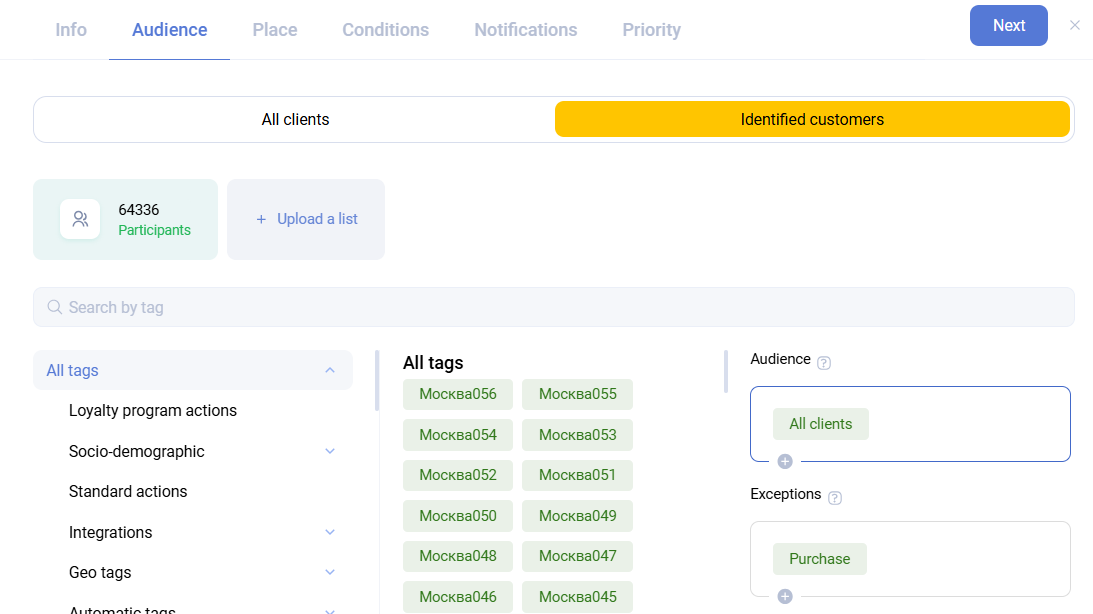
This step defines who can participate in the promotion. By default, a new promotion applies to all clients.
If you choose Only loyalty program members, the promotion works only for clients who are part of the loyalty program, in other words clients who exist in the Sailplay database.
Tags can be used to narrow the audience precisely. For example, you can include clients who filled in their profile and exclude those who unsubscribed from email.
Place
This step defines the points of sale where the promotion applies. By default, All points of sale are selected. Sailplay supports any number of departments.
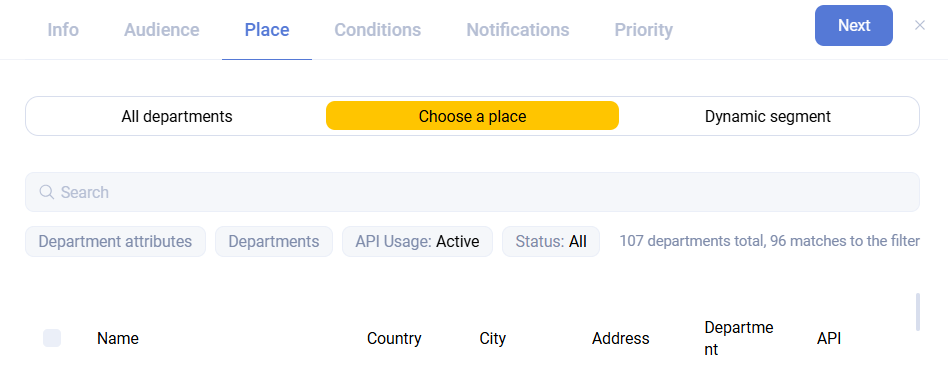
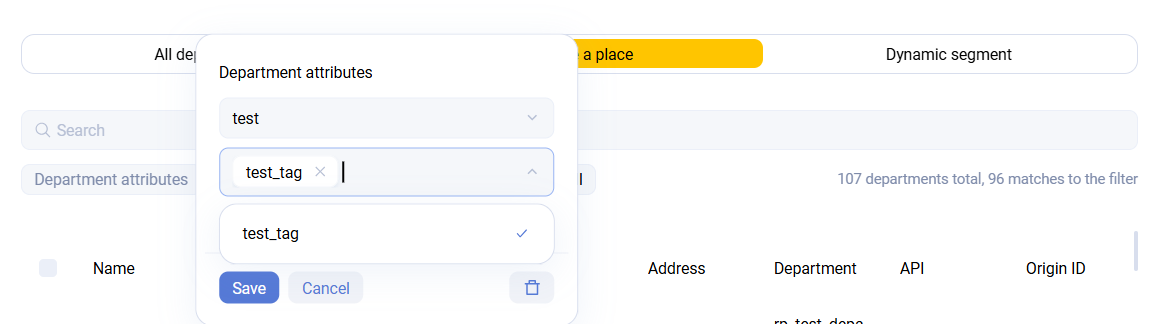
You can also choose a dynamic department segment. This allows all departments with a specified attribute to be included automatically. When a new department appears, it is enough to assign the required attribute, and the promotion does not need to be edited.
Conditions
This is the most important and most complex setup step. It defines the promotion logic itself. Technically, a promotion consists of two element types:
Conditions - requirements the cart must satisfy for the promotion to apply
Rewards - actions performed on the cart or client if all conditions are met
Each promotion can contain several conditions and several rewards.
Conditions are always combined with logical AND. If OR logic is required, you should create a separate promotion.
Condition types
Make a purchase - triggered by any purchase. You can also define the required purchase amount, product quantity, and purchase attribute values.
Buy a product - sets requirements for the cart composition. You can define which products must be present in the cart for the promotion to apply. Additional parameters include the minimum number of matching products and the minimum purchase amount.
Product properties that can be used in conditions:
- Product with a specific attribute value - filter by product attribute
- Product with an attribute value within a range - range-based filtering for numeric product attributes, for example from
1to10 - Product with a specific receipt attribute value - filter by position attribute
- Specific product
- SKU contains text - partial match by SKU
- Product name contains text - partial match by product name
- Any product from the selected category
- Client preferences - filtering based on client attributes, in particular the client's favorite product
- Several product characteristics - allows combining multiple product-selection rules listed above
- Use promocode - specifies a previously created promocode group required for the promotion. You can also configure the maximum number of promocodes from the group that can be used, for example for gift coupons
- Client date - allows you to define a period before or after the date a tag was assigned. This is useful for birthday-style promotions based on the
Birthdaytag - Every day of the week - defines on which weekdays the promotion is active. The active time can be specified either absolutely or relative to the department opening time configured in
Settings -> Departments. Several time ranges can be set and are combined with logicalOR - Certain days of the month - defines specific dates and time windows when the promotion is active
- Time - defines the daily time interval when the promotion is active
- Card in range - the condition is met if the scanned card number falls within the specified range. Card ranges must be loaded in the Sailplay admin panel in advance
Reward types
Receipt discount - applies a discount to the entire cart. The discount can be specified in percent or rubles, with an optional limit, for example 10% but not more than 100 rubles, or 100 rubles but not more than 10%.
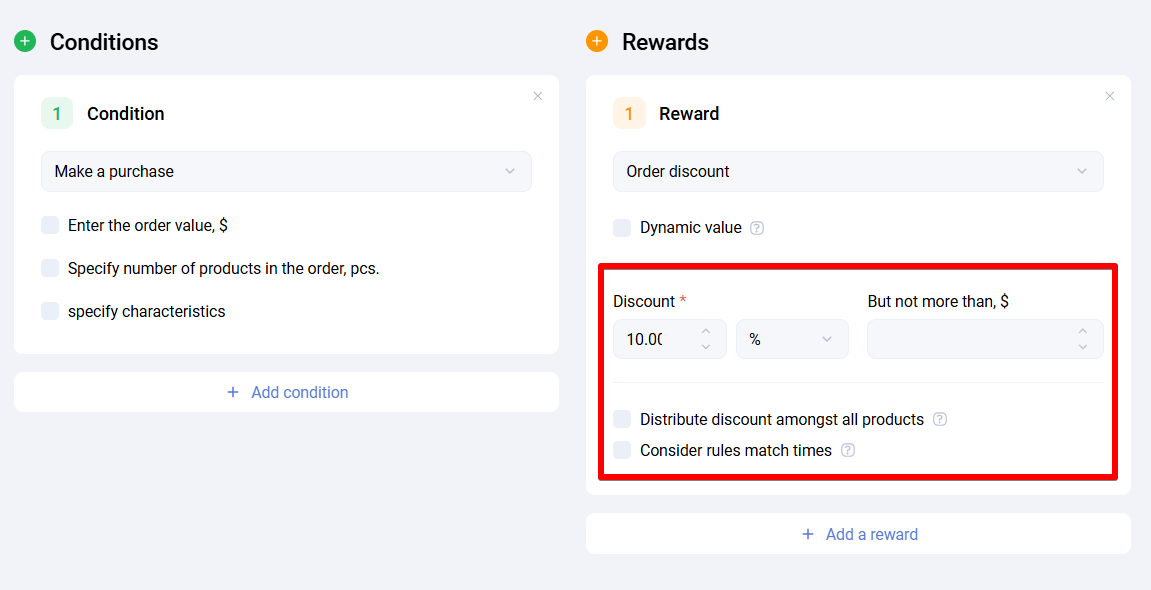
Additional options:
- Dynamic value - retrieves the discount amount from a client or purchase attribute so different clients can receive different discounts through the same promotion
- Distribute the discount across all products - spreads the discount across all products in the cart that participate in the promotion. This is useful when a promocode promotion should discount every product in the cart. The discount is distributed proportionally to product prices, not evenly
- Take into account the number of condition executions - applies the discount multiple times depending on how many times the promotion condition is fulfilled. For example, if the condition is
purchase from 5000 rubles, then for a10000ruble purchase the discount is doubled
Product discount - changes the price of products that match the selection conditions. The discount can be specified in percent or rubles, with an additional cap, similarly to the receipt discount.
- for selected products - products can be chosen using any of the methods described in the
Buy a productcondition block - for every Nth product - defines which product in sequence receives the discount
Additional options:
- Dynamic value - retrieves the discount amount from a client or purchase attribute
- Count only identical products - refines how
every Nth productworks. When enabled, calculations are done separately for each product SKU
If this option is disabled, the Nth product is counted at the receipt level regardless of SKU. For example, if the order contains A, A, A, B, B and every second product gets a discount, the discount is applied to the second A and the first B.
If this option is enabled, the Nth product is counted separately within each SKU. In the same example, the discount is applied to the second A and the second B.
- Distribute the discount across all products - applies the calculated discount to the entire receipt
- Limit the number of applications - defines how many times the discount can be applied if the order contains a sufficient number of matching products. For example, if product A appears
12times and the application limit is5, the discount is applied to only 5 items instead of all 12 - Take into account the number of condition executions - applies the discount as many times as the condition in the promotion block is fulfilled, while still respecting the application limit. For example, if purchasing 12 items of product A grants a 100% discount on 6 items of product B, then purchasing 24 items of product A can grant the same discount on 12 items of product B
In practice, every Nth product, limit the number of applications, and take into account the number of condition executions are not used together because they produce opaque comparison logic.
Example: when purchasing 12 items of product A, the client gets a 100% discount on every second item of product B. If the application limit is 5 and the number of condition executions is also taken into account, then for a purchase of 24 items of A and 12 items of B the discount could theoretically apply to 10 items of B because of the limit and multiplier, but because of the every second rule it actually applies to only 6 items of B.
Discount by product quantity - lets you define the discount amount depending on the number of matching products. Any number of quantity ranges can be configured. Products can be selected using the same methods as in the Buy a product condition block. The discount can be specified in percent or rubles, with an optional cap.
Position numbering is performed after sorting, regardless of whether products are passed as a single line with quantity or as separate lines. All thresholds are inclusive, and fractional remainders are ignored. If you need a discount for one specific position, define a range such as from 1 to 1.
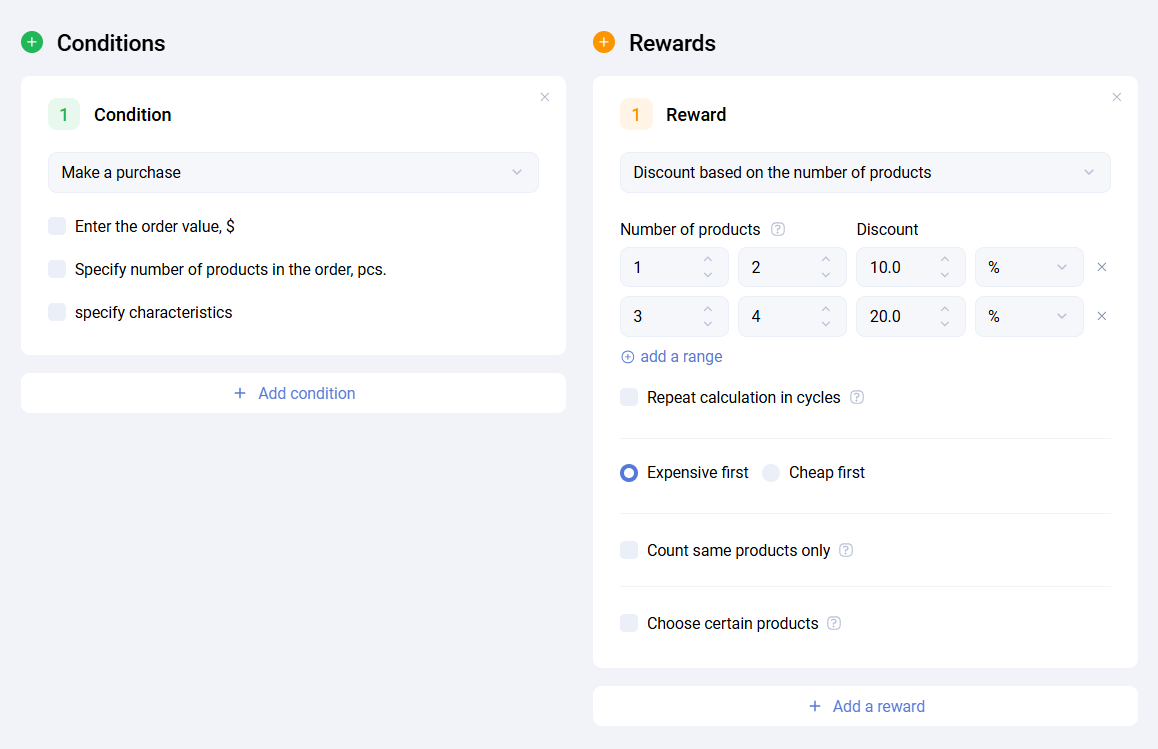
Additional options:
- Repeat calculation cyclically - restarts the range counting after the last range. For example, if enabled and the order contains 6 items, the ranges from 1 to 3 are applied twice
- More expensive first / cheaper first - controls sort order when different SKUs with different prices participate in the reward. Sorting is performed for whole items only. If the cart line contains a
quantity, it is split into separate items. When prices are equal, sorting follows the receipt position order - Count only identical products - if enabled, the Nth product is counted within each SKU separately, not across the full order
Discount by position order - sets the discount amount depending on the ordinal number of a position, either within one order or across all orders for the selected product set.
This supports mechanics such as every 5th cup of coffee is free, regardless of whether the purchases happen in one order or across multiple orders during the promotion period. The rest of the logic is similar to quantity-based discount rewards.
Additional options:
- Repeat calculation cyclically
- More expensive first / cheaper first
- Count only identical products
- Take previous purchases into account - determines the position order based on previous promotion applications for the same products in earlier purchases. The implementation reads the number of products already counted from the database and adds it to the values calculated for the current order. All other settings, including
count only identical productsand cyclic calculation, still work correctly
Fixed price - sets a specific price for a product or group of products when the conditions are met. This reward supports mechanics such as All mugs for 99 rubles, Every second coffee for 50 rubles, or 5 pairs of socks for 199 rubles in total. A fixed price may reduce or increase the original price.
-
Set price for selected products - sets a specific price for selected products while respecting the limit on condition executions
-
Set price for every Nth product - sets a specific price for every Nth product and can take identical products into account and distribute the discount between rewarded items
-
Set price for a set - sets one price for a full product set
- For example, if the receipt contains 5 units of product A priced at
50rubles each, the reward can set the total price for all 5 items to199rubles. The discount is the difference between the original total and the set price, distributed proportionally based on each product's share in the set value. - One reward can set prices for several sets at once if the receipt contains enough products.
- If one product from the set is affected by another higher-priority promotion that excludes the set promotion, the set promotion still applies to the remaining products. In this case, the set completeness rule is ignored.
- For example, if the receipt contains 5 units of product A priced at
Additional options:
- Limit the number of applications - defines how many times the discount is applied if the order contains a sufficient number of required products
- Take into account the number of condition executions - applies the reward multiple times according to how many times the condition is fulfilled, still respecting the application limit
- Suggest products when conditions are met - returns products covered by the reward in the cart calculation response if they are absent from the order. This can be used at the POS to suggest that the client add a rewarded product
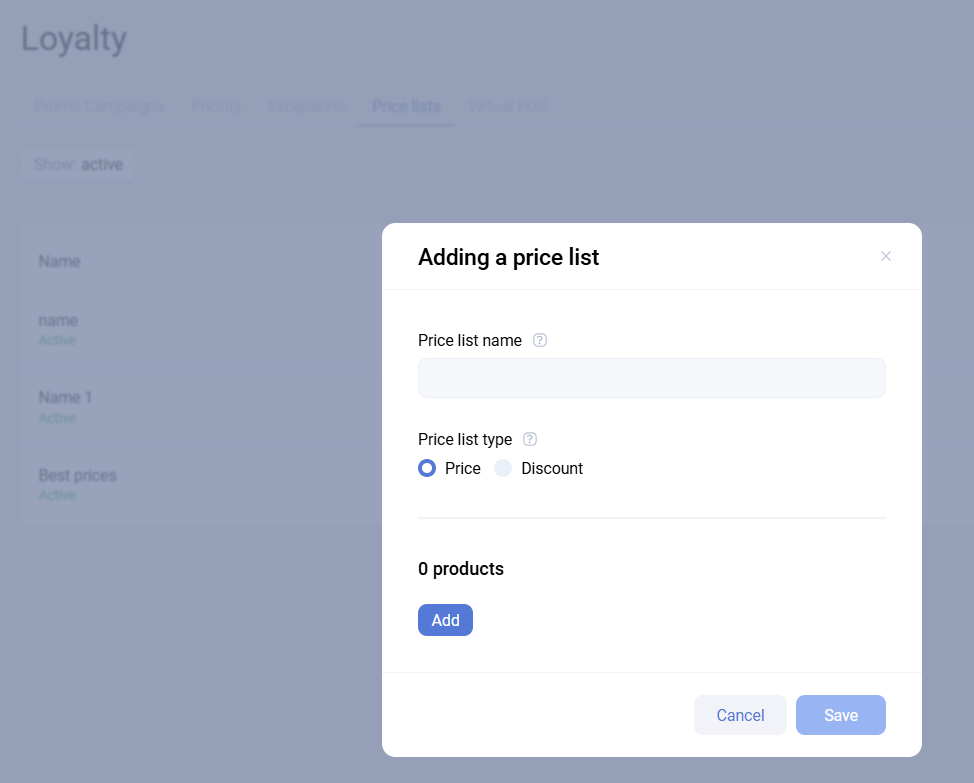
Price list - works with files containing alternative product prices. If a condition is met for an order position, the position price or discount value is taken from the selected price list. The price list must be created in the corresponding dashboard subsection beforehand.
Point modifier for a purchase - changes how bonus points are accrued for the purchase.
- standard coefficient multiplier - changes the conversion coefficient for all products in the cart
- additional amount - adds a fixed number of bonus points to the purchase
Additional options:
- Dynamic value - retrieves the modifier from a client or purchase attribute
- Limited validity period for points - sets an expiration period either relative to accrual or until a specific date and time. You can also define what percentage or number of points expires on that date. This is available only with the standard coefficient multiplier option
- Take into account the number of condition executions - accrues the fixed number of points multiple times according to how many times the condition is fulfilled
Point modifier for products - changes the product-level conversion coefficient.
- for selected products - products can be selected in the same ways as in the
Buy a productcondition block - for every Nth product - lets you define which product in sequence gets the modifier
Additional options:
- Dynamic value
- Count only identical products
- Limit the number of applications
- Limited validity period for points - available only with the standard coefficient multiplier option
Bonus points used as discount - sets the maximum share of the discount that a client can pay with bonus points.
Additional options:
- Dynamic value - retrieves the maximum discount value from a client or purchase attribute
- Reverse coefficient - defines how bonus points are converted into rubles for deduction. For example, a coefficient of
0.5means that 1 bonus point equals0.5rubles
Print on receipt or after-order page - returns data in the cart calculation response that can be used on the receipt. Promocode group variables can be used in the text, which makes it possible to issue and print a promocode for later use.
Manual or external discount - subtracts an arbitrary amount from the receipt total. The value is taken from a position attribute passed from the POS. To use this reward, create the required position attribute in advance and choose it in the reward settings.
Assign tag - assigns a specific tag to the client. The tag is assigned immediately, regardless of whether the purchase has already been confirmed, so this must be taken into account when building logic that depends on the tag.
Product markup - increases the product price by a percentage or a fixed ruble amount.
Notifications
Sailplay can return additional information both for the cashier and for the client. The data is returned in the cart calculation response as service_msg for the cashier and client_msg for the client.
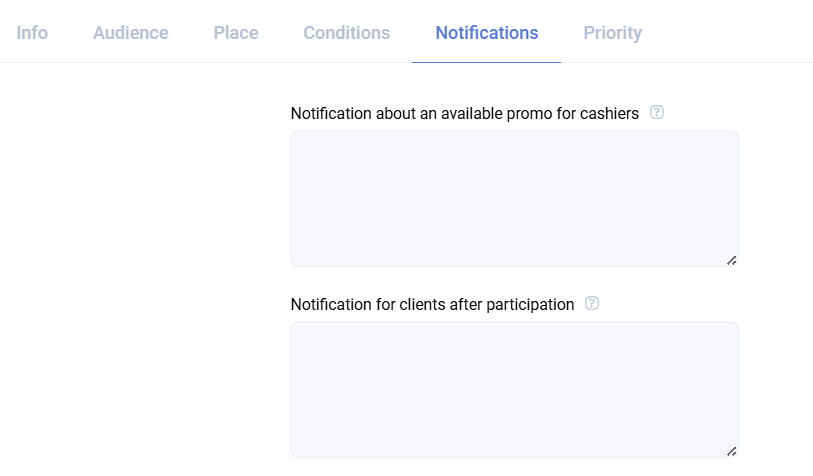
Notification for the cashier about a possible promotion reminds the cashier about an active promotion when the client has fulfilled only part of the required conditions.
Notification to the client after participation in a promotion informs the client that the promotion conditions have been applied successfully. The exact format depends on the partner's business process.
Priority
To manage how multiple promotions work together in the same order, Sailplay uses a priority matrix that defines how the promotion being edited interacts with all other promotions.
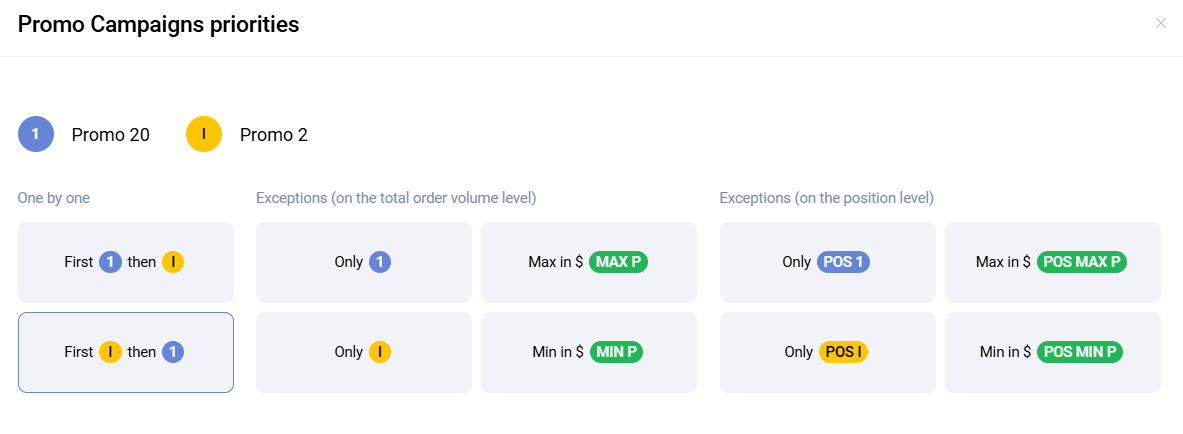
In the interface, the promotion being created or edited is marked as 1, while other promotions are marked with letters such as A, B, C, and so on. The examples below use 1 and C.
Sequential application
First 1 then C - the promotions are combined, first the edited promotion 1 is applied, then the intersecting promotion C.
Example: the product price is 100 rubles. First a 5% discount is applied, then a fixed 10 ruble discount. The final price becomes 85 rubles.
First C then 1 - the promotions are combined, first promotion C is applied, then promotion 1.
Example: the product price is 100 rubles. First a fixed 10 ruble discount is applied, then a 5% discount. The final price becomes 85.5 rubles.
Receipt-level exclusions
Only 1 - if both promotions 1 and C are applicable, only promotion 1 is applied.
Only C - if both promotions 1 and C are applicable, only promotion C is applied.
Max in rubles / Min in rubles - if both promotions are applicable, the system compares the discount amount produced by each one and keeps either the larger or the smaller value.
Position-level exclusions
These settings are similar to receipt-level exclusions but are applied per position. For example, if both promotions 1 and C are applicable to the French fries position and the rule is Only 1 on the position level, promotion 1 is applied.
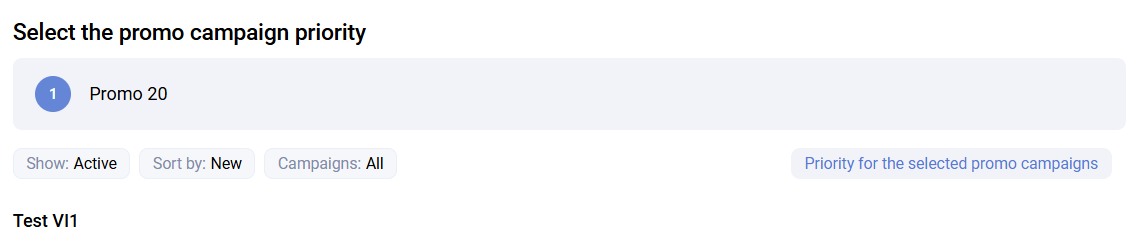
Group priority configuration
The Priority for selected promotions option allows you to configure the priority of the edited promotion against all other promotions at once.
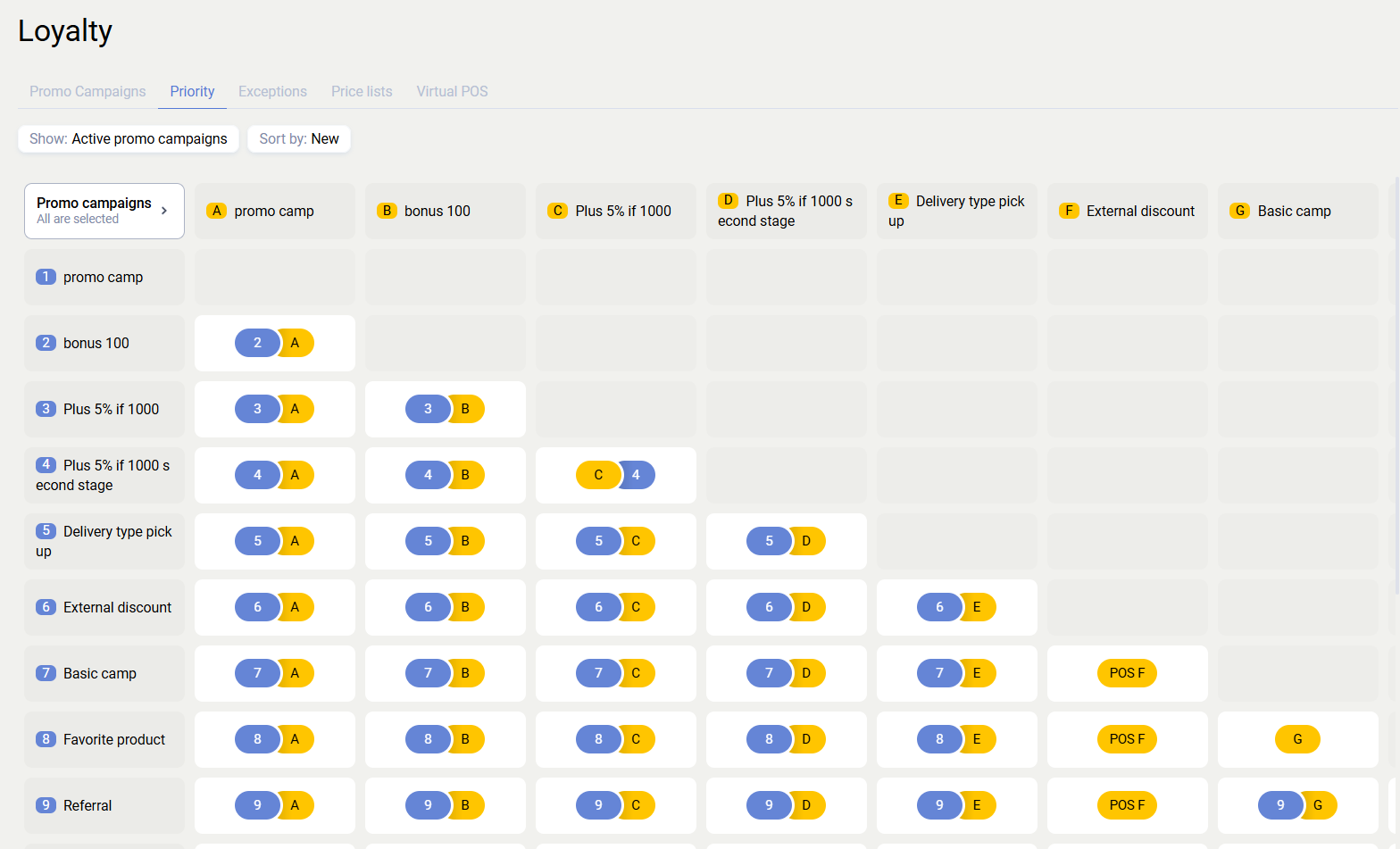
In addition, the priority matrix for all promotions is available in the Priority subsection of Loyalty. There you can find any promotion pair and configure their mutual priority.
Excluded products
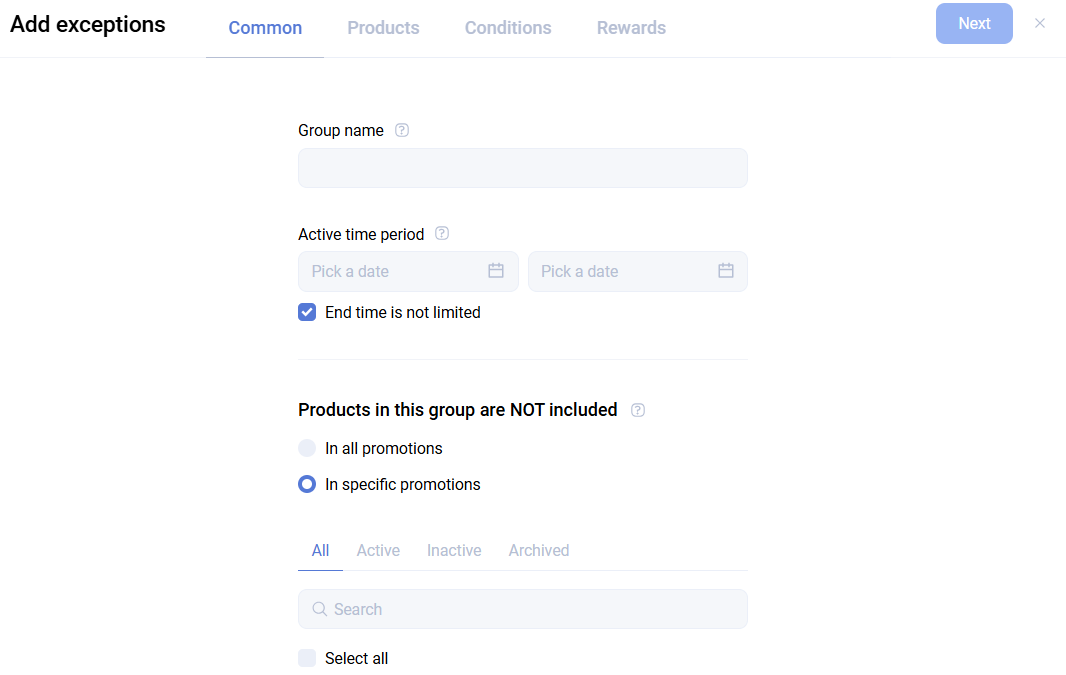
Sailplay lets you create lists of excluded products for one or multiple promotions. Such a list can be created in the corresponding Loyalty subsection.
At the first step, define the name, validity period, and promotions for which the list should work.
At the second step, define the products covered by the exclusion. Products can be selected:
- by SKU list
- through the product catalog
- by product attribute
- by position attribute, which must be created in advance
These rules can be combined with logical OR.
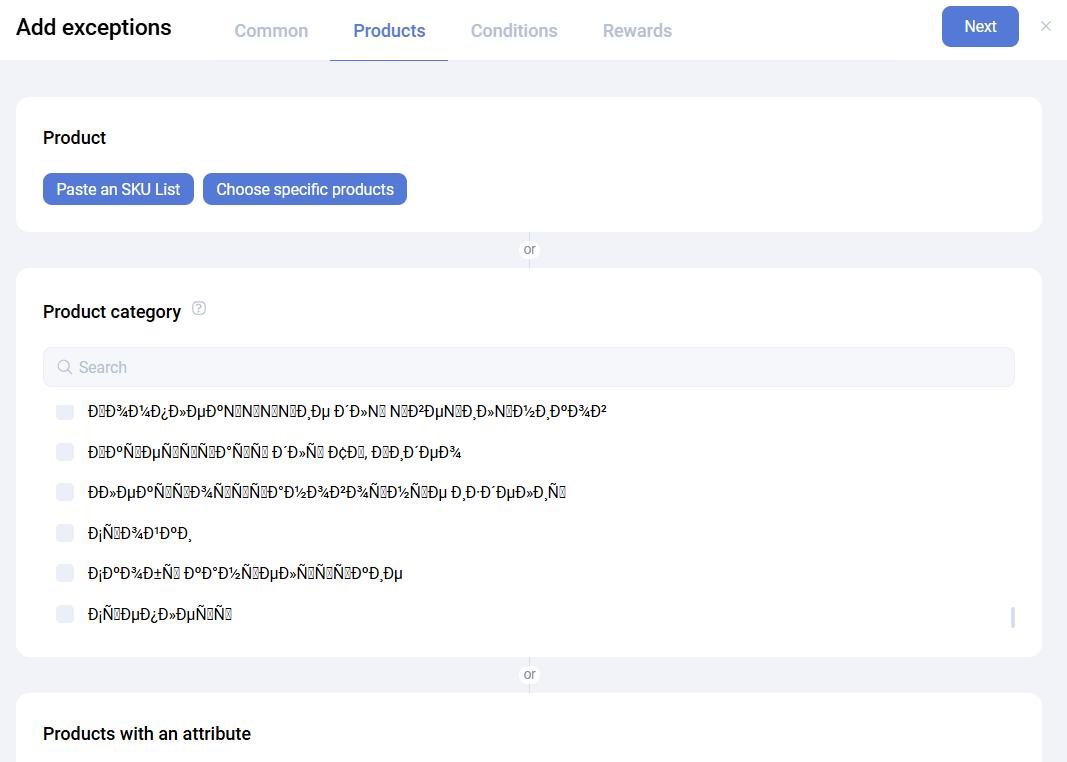
At the third step, configure exclusions for promotion conditions. This supports mechanics such as do not count alcohol toward the conditions of selected promotions. For example, a promotion gives a 10% discount for orders above 10,000 rubles. The order total is 12,000, but alcohol accounts for 11,950, so the discount will not be applied.
You can also limit the exclusion to specific departments. By default, it applies to all of them.
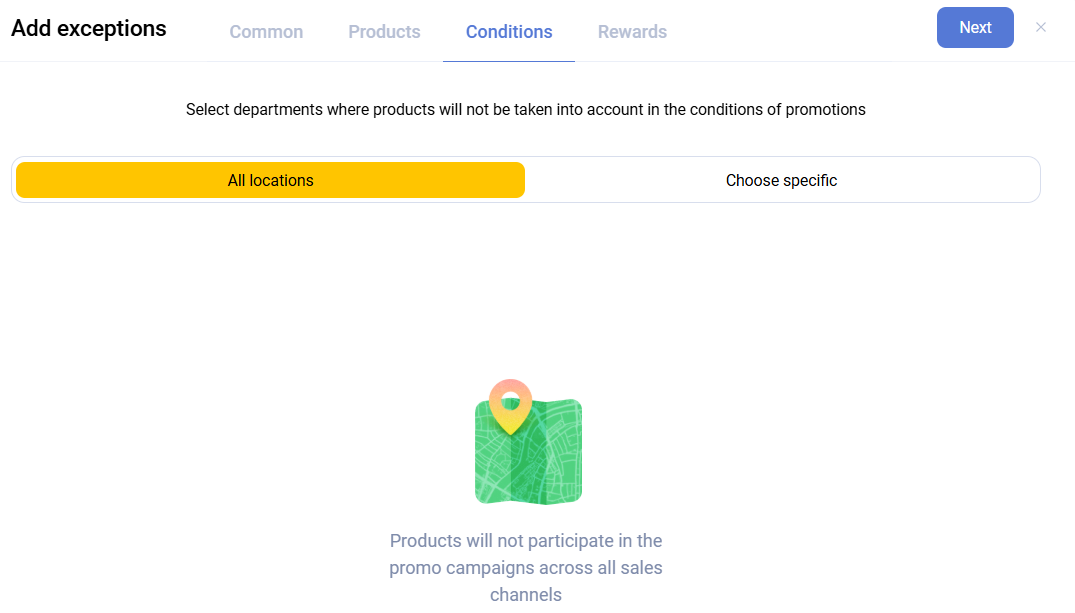
At the fourth and final step, configure exclusions for rewards. This supports mechanics such as do not apply a discount to alcohol even if the promotion conditions are met. Department restrictions can also be configured here, and by default apply to all departments.
Price lists
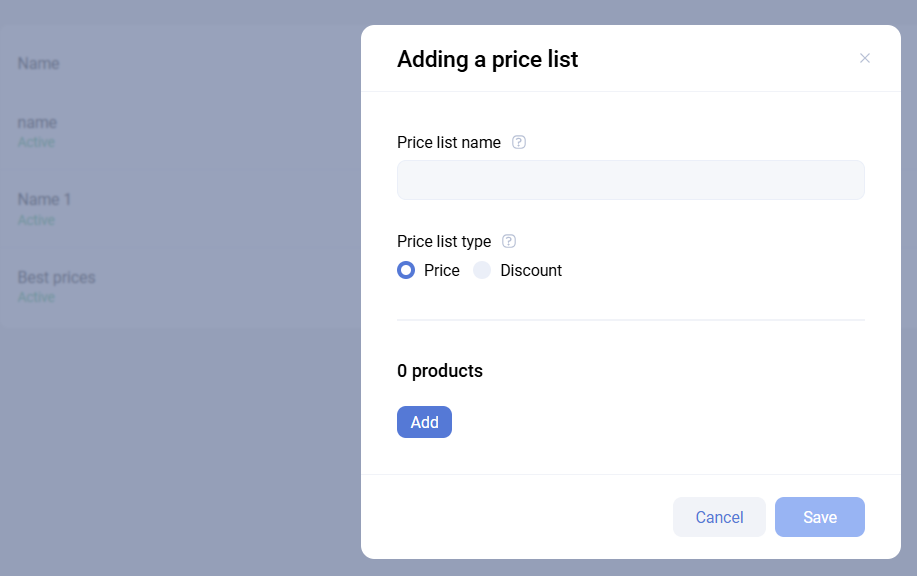
This subsection allows you to add price lists with fixed values for a specific set of products. The created price list can then be used in a Price list reward.
Price lists support two modes:
- Price
- Discount
If you choose Price, a promotion configured with that price list sets the product price equal to the price in the list. If you choose Discount, the product receives the percentage discount defined in the list.
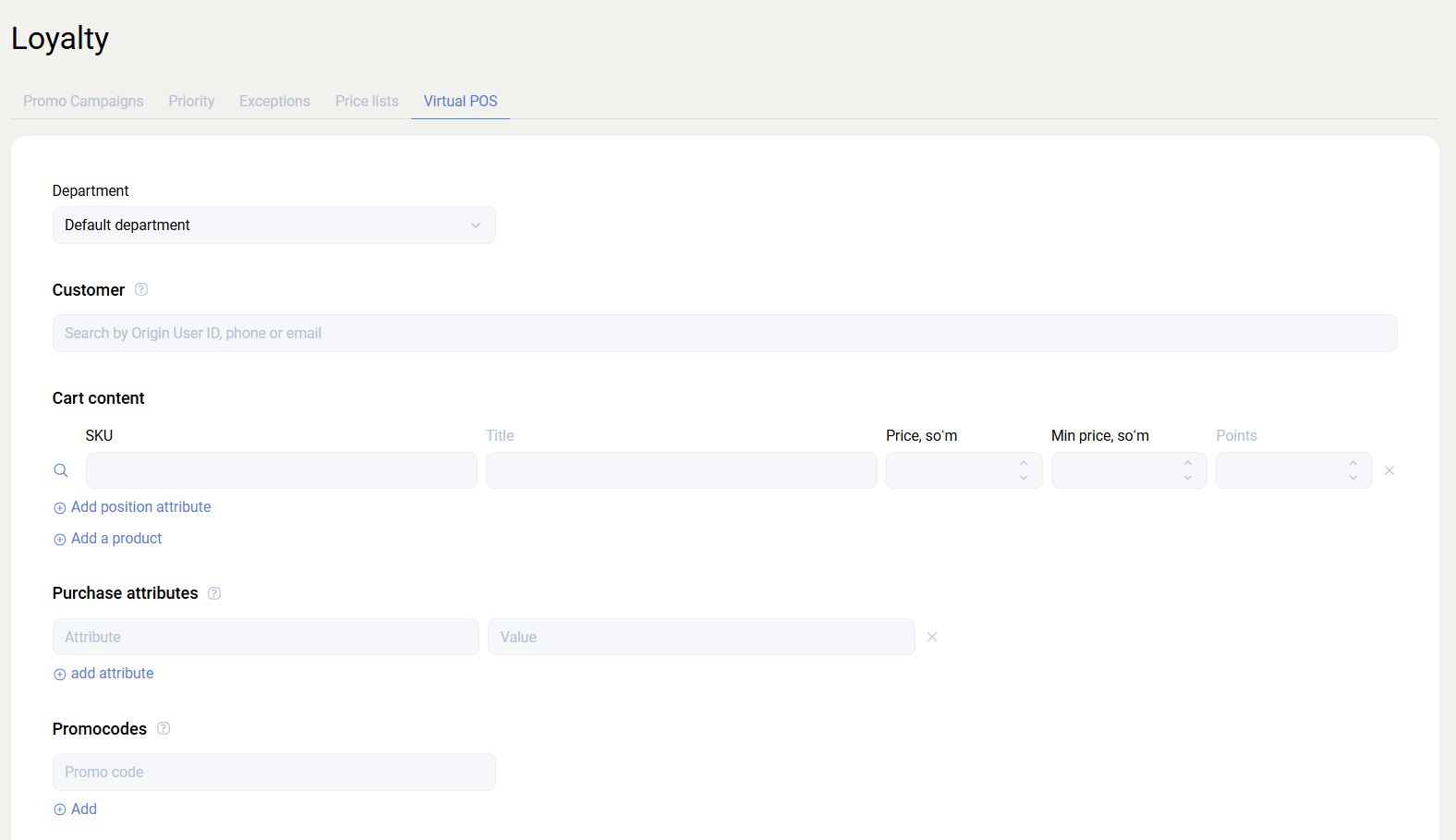
Virtual checkout
This tool is used to test promotion application while taking into account the department, client, promocode, purchase attributes, and position attributes. In practice, it emulates the behavior of the cart discount calculation method.